Moneyger
An iOS app that turns your bank emails and statements into a clear picture of your spending, with an otter named Pebble to keep you on track.
Built with SwiftUI, SwiftData, App Intents and WidgetKit.
Features
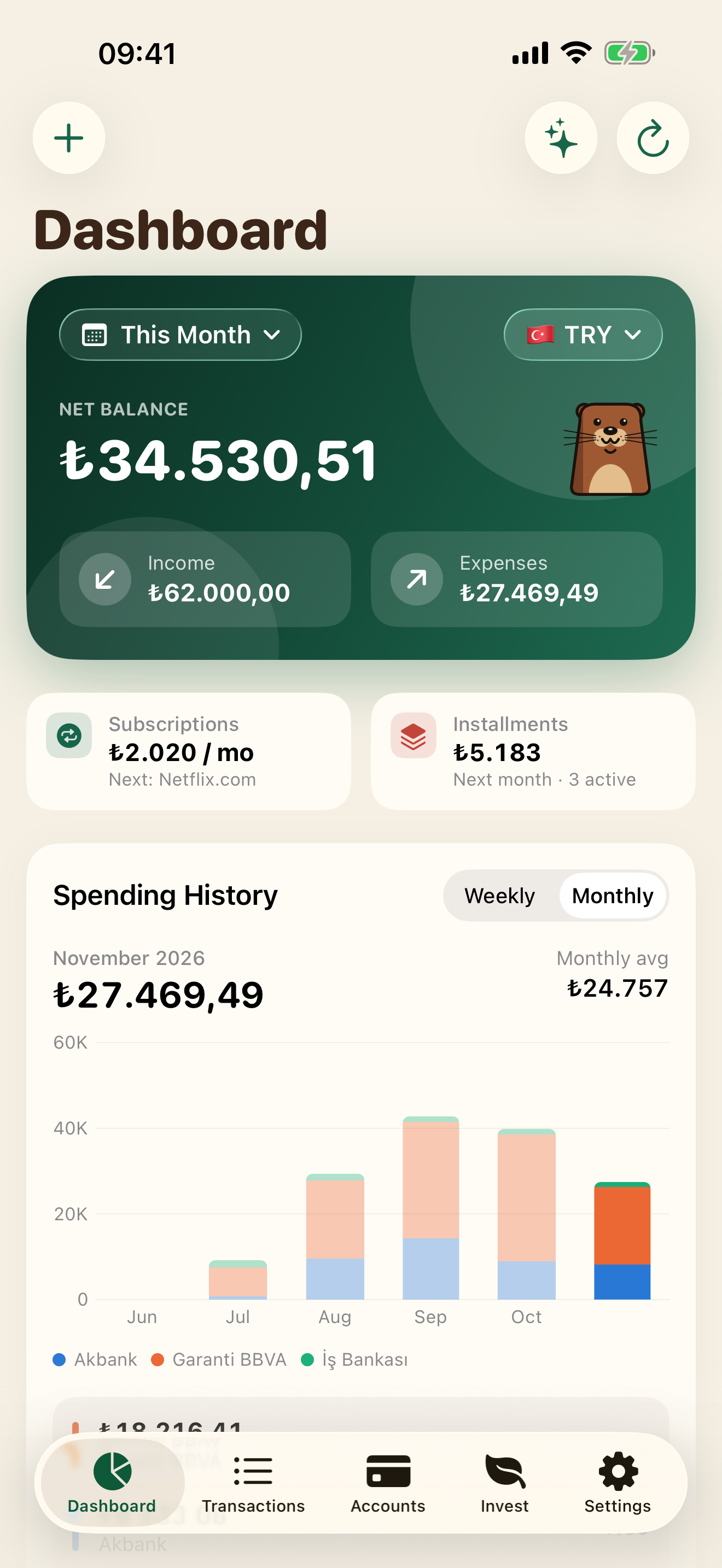
Your spending at a glance
See your balance, subscriptions, installment plans and a spending chart on one screen. Filter by bank, category or currency.
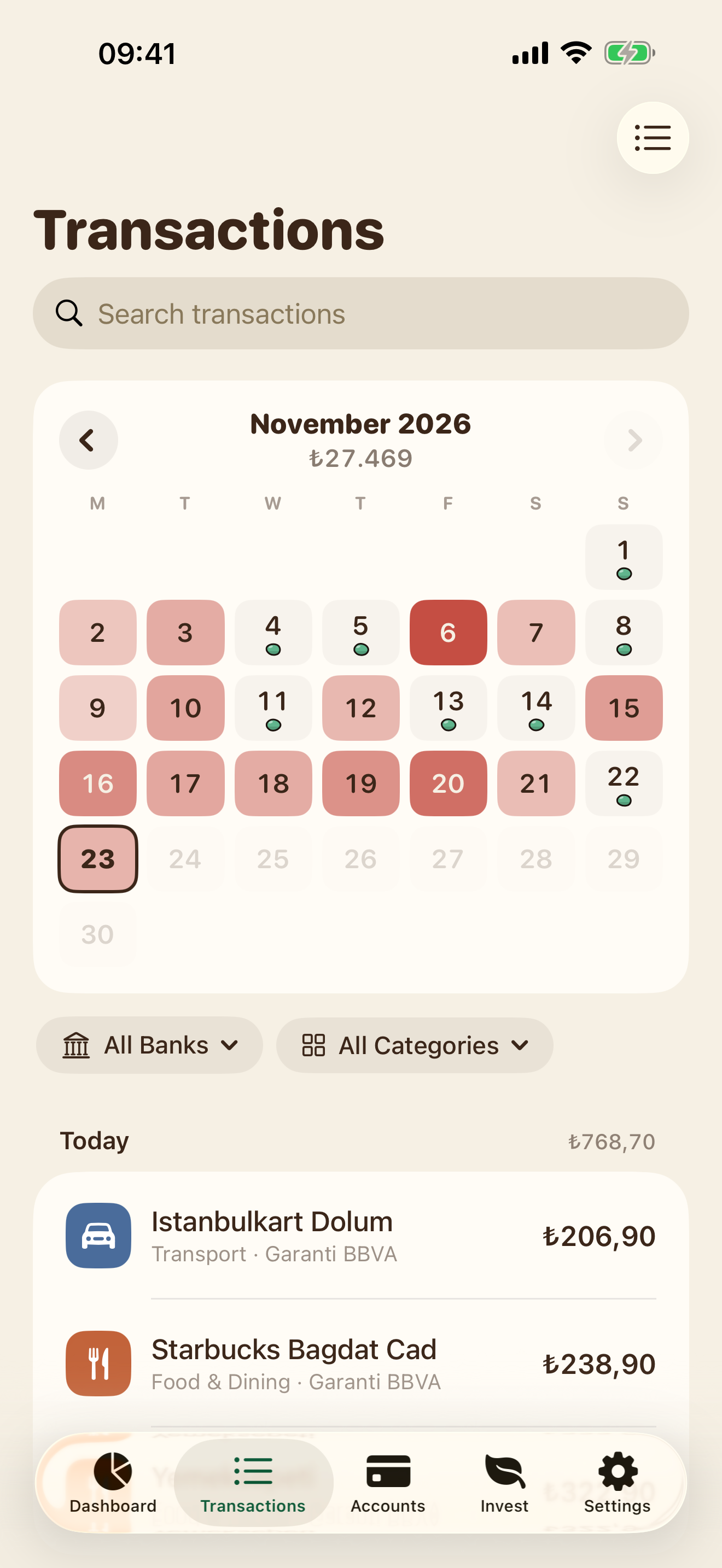
Spending calendar
Each day is colored by how much you spent. Spot patterns, find quiet days and see where the money went.
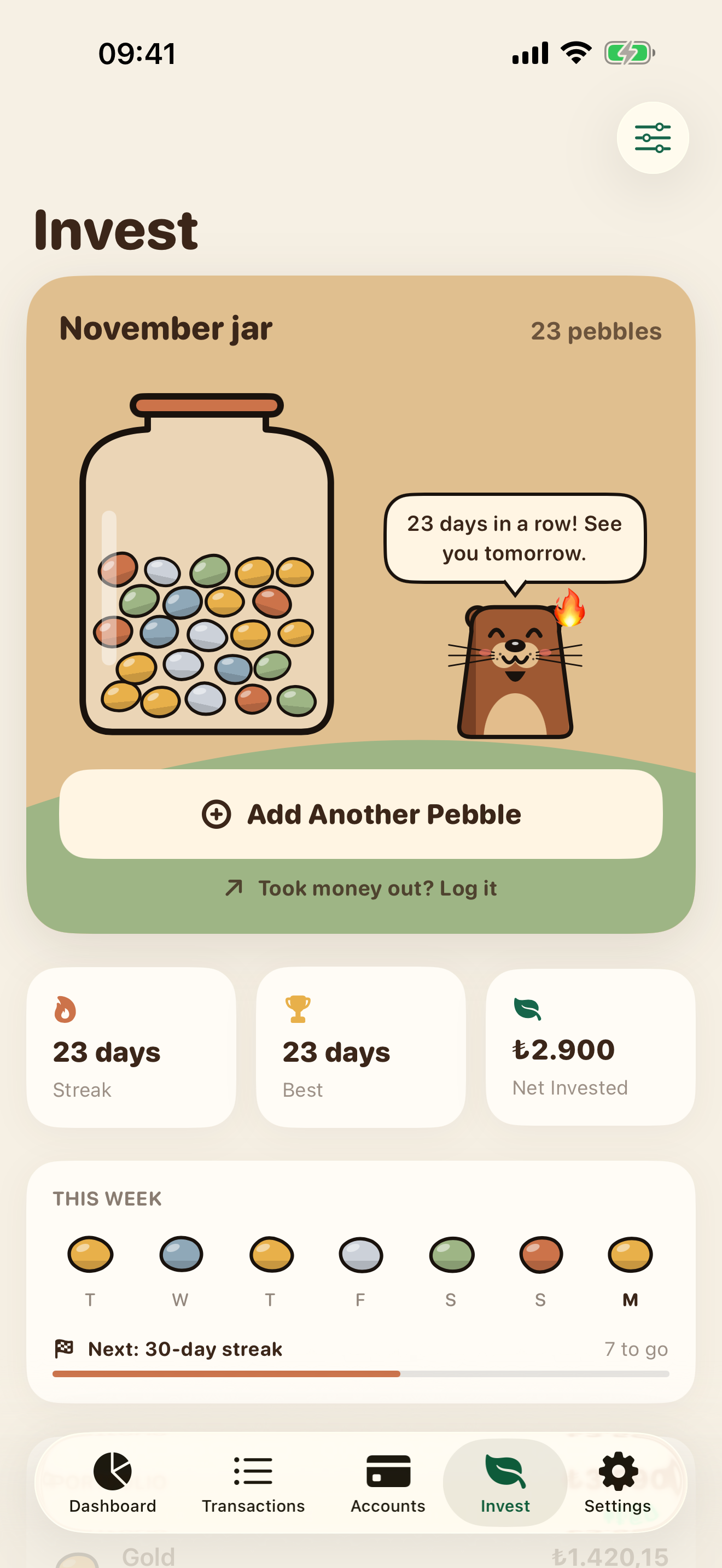
Daily investing habit
Log what you invested each day, fill a jar with pebbles and keep a streak going. Small steps, visible progress.
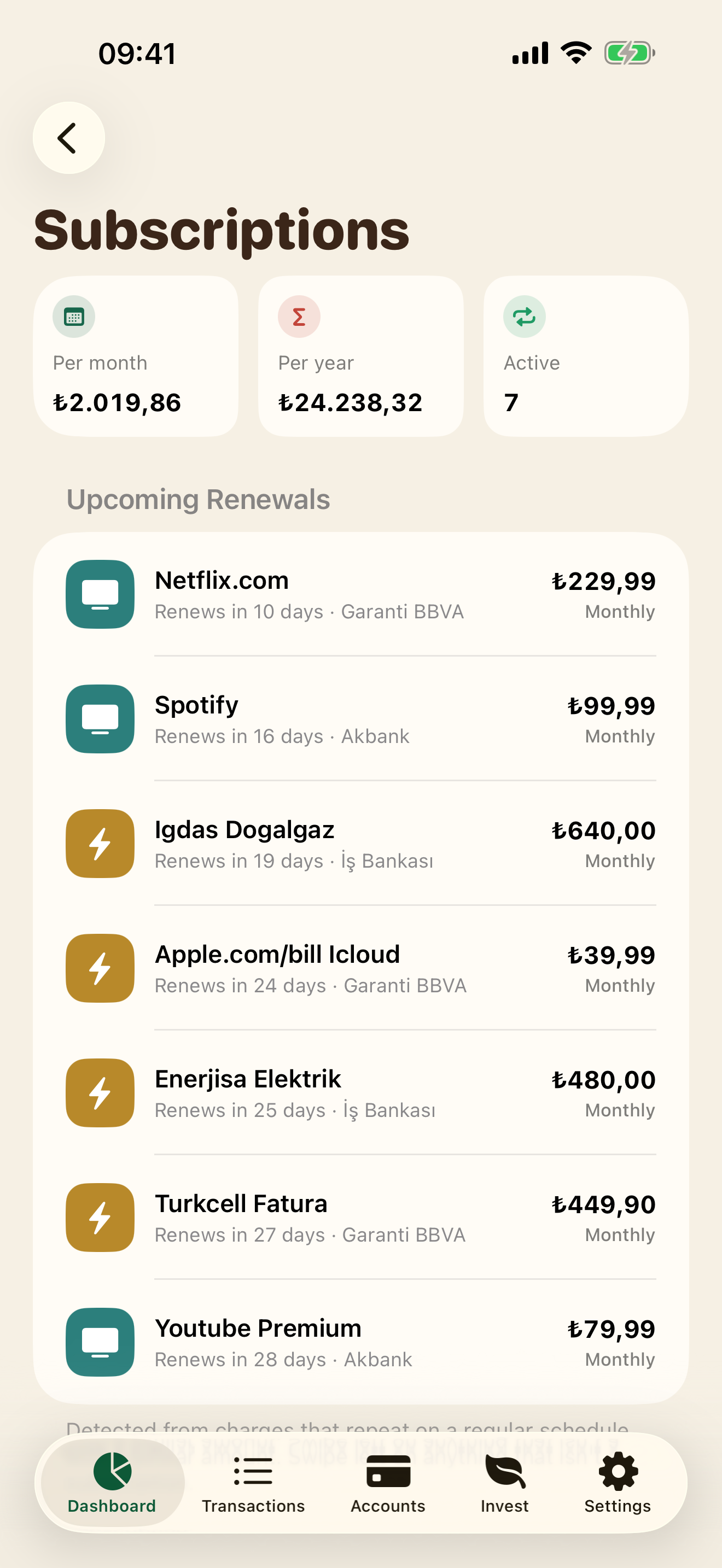
Subscriptions and renewals
Moneyger detects recurring charges and installment plans from your transactions and reminds you before payments are due.
Also included
- Reads bank emails from Gmail (optional) and imports PDF statements, screenshots and scans.
- AI of your choice: Apple Intelligence on-device, or your own Gemini, Claude or OpenAI key.
- Ask Pebble: questions about your spending in plain language.
- Widgets, Siri and Back Tap shortcuts, Face ID lock.
Privacy
Moneyger has no server and no account. Your data stays on your device.
If you choose a cloud AI provider (Gemini, Claude or OpenAI), the text being processed is sent to that provider using your own API key. On-device processing with Apple Intelligence sends nothing.
Open Source
Moneyger is MIT licensed. Read the code, open an issue or fork the repo.